Q1.
Build a simple HTML form that includes a input field for the user’s name, a grouped address section with inputs for city, state, and country, a textarea for a detailed review, a dropdown to choose a favorite color and, both submit and reset buttons.
A screenshot of the example is shared below: 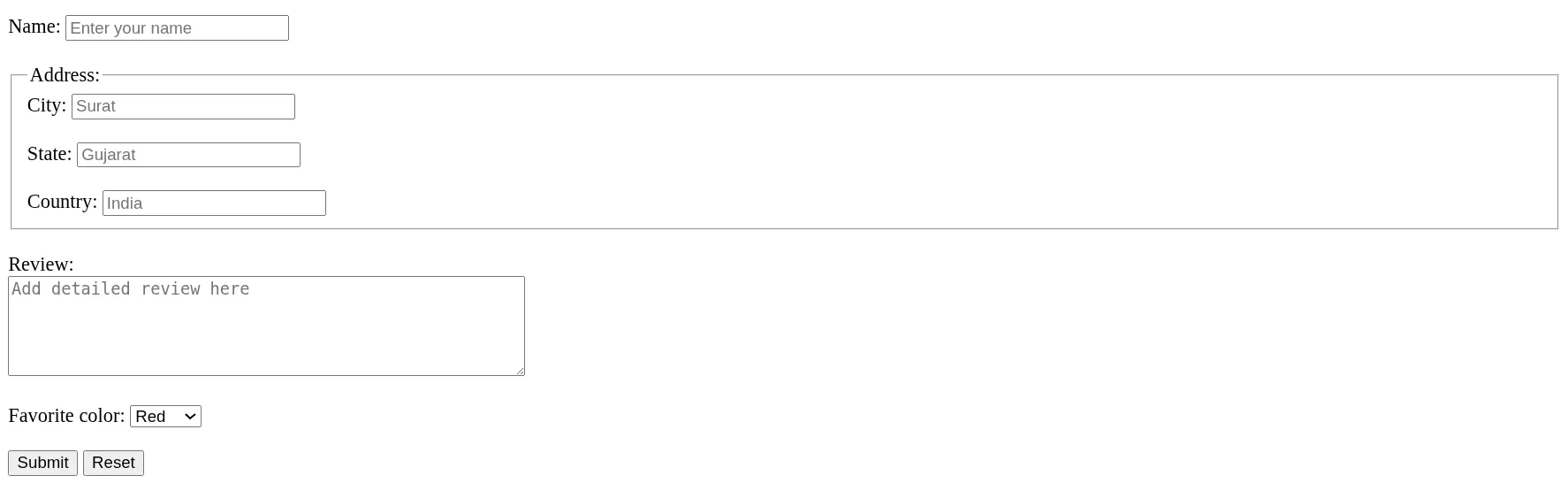
Q2.
Consider the html code snippet given below:
<!DOCTYPE html>
<html lang="en">
  <head>
    <meta charset="UTF-8" />
    <meta name="viewport" content="width=device-width, initial-scale=1.0" />
    <title>Form</title>
  </head>
  <body>
    <form>
      <h2>Personal Information</h2>
      <br />

      <p>First Name:</p>
      <br />
      <input placeholder="Eve" />
      <br />

      <p>Last Name:</p>
      <br />
      <input placeholder="Smith" />
      <br /><br />

      <button type="submit">Submit</button>
    </form>
  </body>
</html>
The above code currently displays the form as shown in the screenshot below: 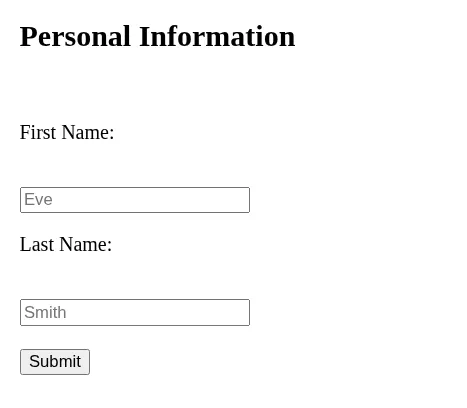
This HTML form is for collecting user’s first and last name. It currently displays content but isn’t using the most appropriate tags. Identify and fix any markup issues - improving its structure and semantics, so the form displays and functions correctly.